Watchdog
Watchdog is a tool for monitoring the availability of devices in a local network or on the Internet. By sending ICMP packets (ping) to a specified address, it checks whether the device responds and, if a problem is detected, can automatically perform a restart procedure on the associated output.
This function can be used in both home and business environments – particularly for supervising network devices, modems, or wireless bridges that may require periodic restarts.
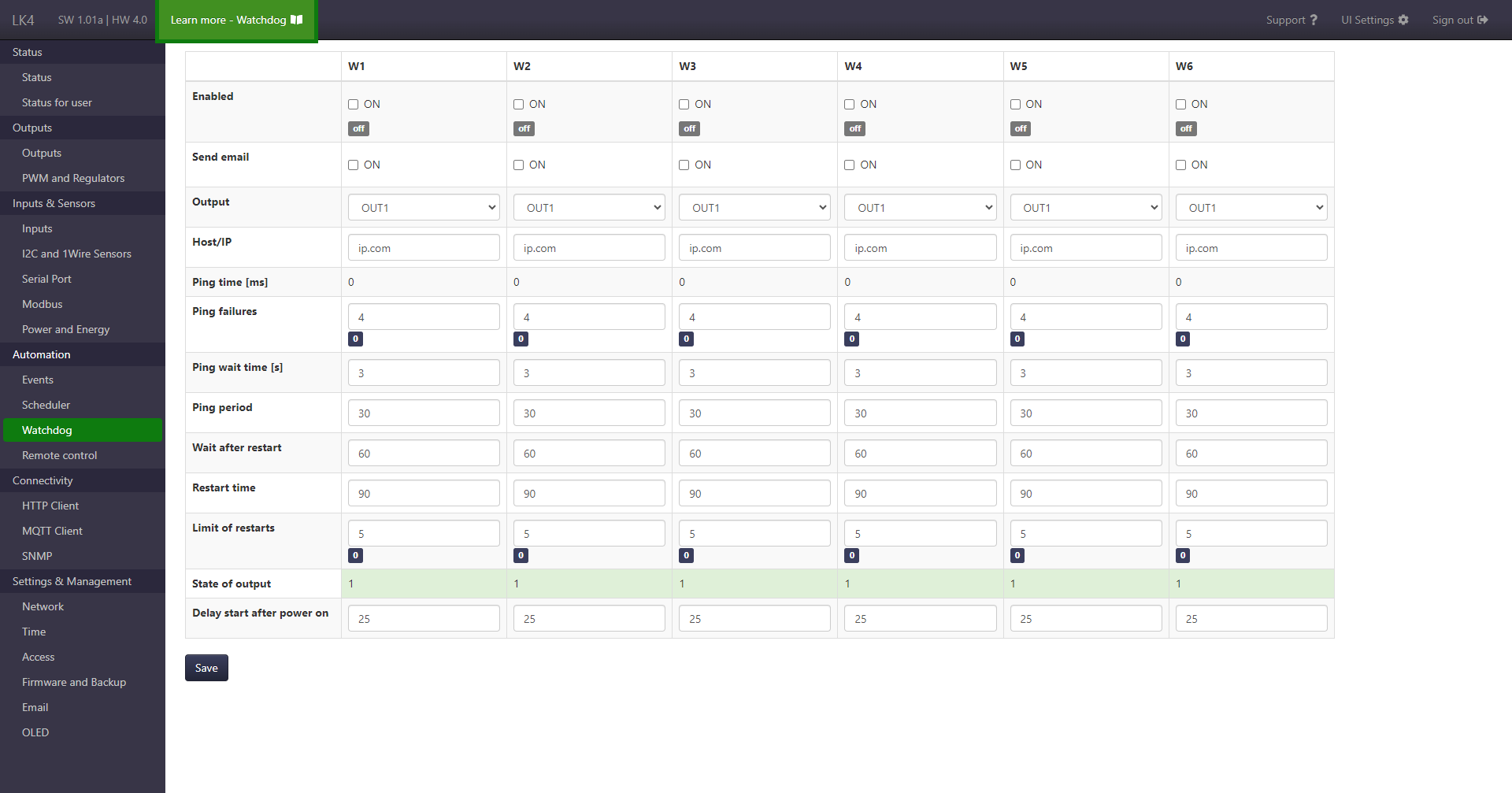
Page elements
The page is divided into two distinct sections:
- configuration section (upper table),
- information section – Status (lower table).
Individual function entries are grouped in columns (W1, W2, etc.).
Configuration section
For each entry, the following parameters are available:
- Enabling the function.
- Sending an e-mail notification when the watchdog is triggered (if the e-mail service is configured).
- Output used for the restart procedure (OUT, PWM, VAR).
- Hostname or IP address of the device whose availability is to be monitored.
- Ping error limit (number of consecutive failed responses after which the output will be restarted).
- Maximum response wait time (in seconds).
- Ping interval – time between successive availability checks.
- Wait time after restart (in seconds) before pinging resumes.
- Restart time (in seconds) – the duration for which the associated output state will be changed to the opposite state, after which it will be restored.
- Restart limit – maximum number of restarts after which the watchdog is disabled. A value of
0means no limit (restarts will be performed without restriction). - Function start delay after LK4 power-up.
Information section – Status
The lower part of the page displays current information about each entry:
- Current function status (e.g., running, off).
- Ping response time (in ms) or the
Timed outmessage. - Current number of ping errors (in relation to the configured limit).
- Number of performed restarts (in relation to the configured limit).
- Current state of the associated output.
Any changes to the watchdog configuration require pressing the Save button.