UI Settings
Access to the user interface settings page is located on the right side of the top navigation bar.
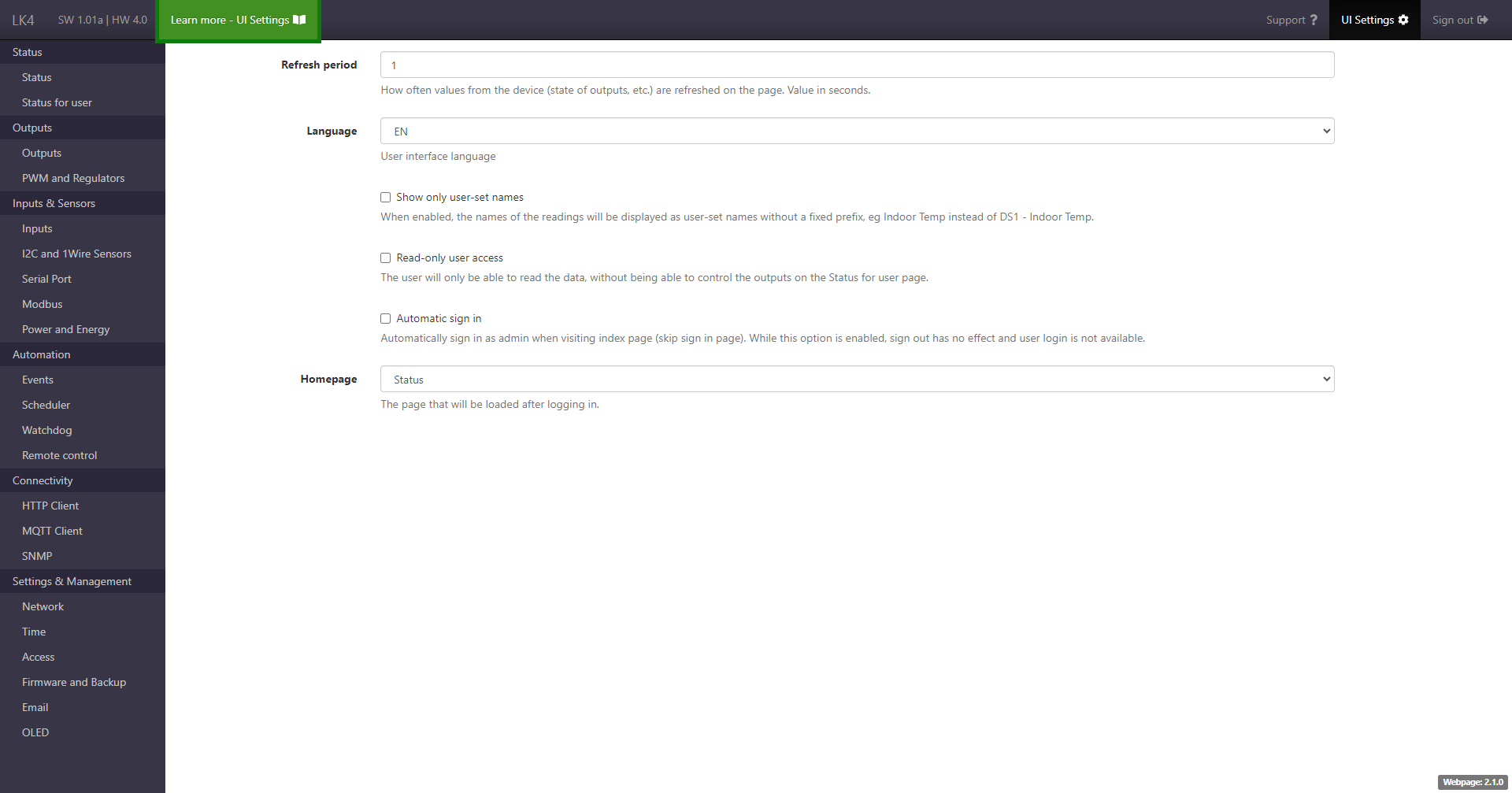
The page contains options that affect the operation of the LK4 web interface, such as language selection, data refresh interval, homepage selection, and others.
Light / Dark mode
Available since SW 1.24
A display mode switch is available on the top navigation bar:
- Light – fixed light theme,
- Dark – fixed dark theme,
- Auto – theme based on the browser or operating system settings.
The selected mode affects the appearance of the entire user interface.
Refresh interval
For the refresh interval – the higher the value, the lower the data transfer and device load, but the weaker the synchronization between the page and the actual device state (e.g., a state change may be displayed with a delay).
Homepage
It is possible to select a homepage, i.e., the page that will be loaded after logging in.
Additional options
There is an option to hide standard reading names and display only user-defined names, as well as an option that restricts the user account to read-only access (no ability to change the state of OUT and PWM outputs or VAR variables).
Change in SW 1.38
In SW 1.38, the automatic sign-in function available on the page was removed.
Previously, it operated solely at the web interface level, independently of Basic Authentication.