Remote control
The remote control function allows you to control another Lan Controller using the UDP protocol. This means that when the selected parameters of one LK are changed, then the selected parameters of the other remote LK will be changed accordingly. For example, changes in the INPD state on one LK may result in changes in the state of the OUT outputs on another LK.
It is most useful in the local network of one facility, where one controller can share logical information from its sensors to another device.
Elements of page
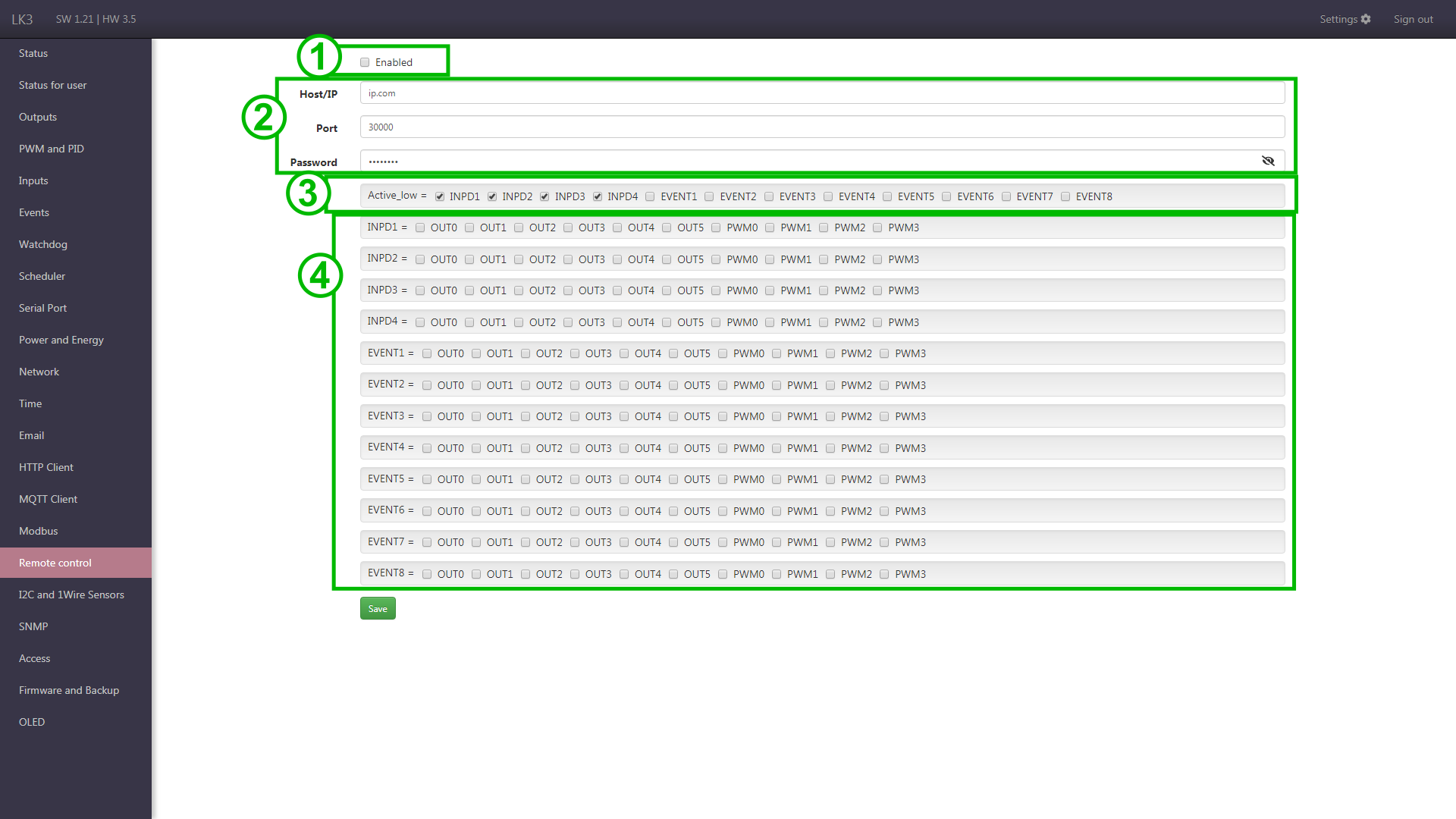
- Enabling the function of sending and receiving commands.
- Connection settings.
- HostT/IP - address of the Lan Controller that will be controlled (to which commands will be sent). For LK which only receives commands, this parameter has no meaning, but the field cannot be empty, therefore any address should be entered.
- Port - on which communication will be carried out, by default 30000, the same should be selected on both devices.
- Password - you should set the same on both devices.
- Fields Active_low - negation of inputs, which results in that the outputs will be driven inversely to the state of inputs. Without negation, the output is set exactly to the state of associated input, e.g. input INPD1 changes to 1, then output OUT1 will be set to 1. With negation enabled, it would be set to 0.
- Matrix INPD, EVENT => OUT, PWM - linking the inputs, i.e. the parameters of the configured LK, with the outputs, i.e. the parameters of the controlled LK. The outputs will be controlled depending on changes in the inputs.
Example
Lan Controller no. 1 has a twilight sensor connected, giving information about twilight via the Event function (relay switching). By controlling this function, an additional relay shorting INPD1 to ground, we give a signal at twilight to remote Controller's No. 2, which also can turn on the connected relays, thus lighting the night light.
It is worth noting that the controlled LK can simultaneously send commands to another LK or back to the LK that controls it (be careful not to loop the changes).