OLED
There is support for OLED 128x64 display via I2C. The display is refreshed every 3 seconds.
Elements of page
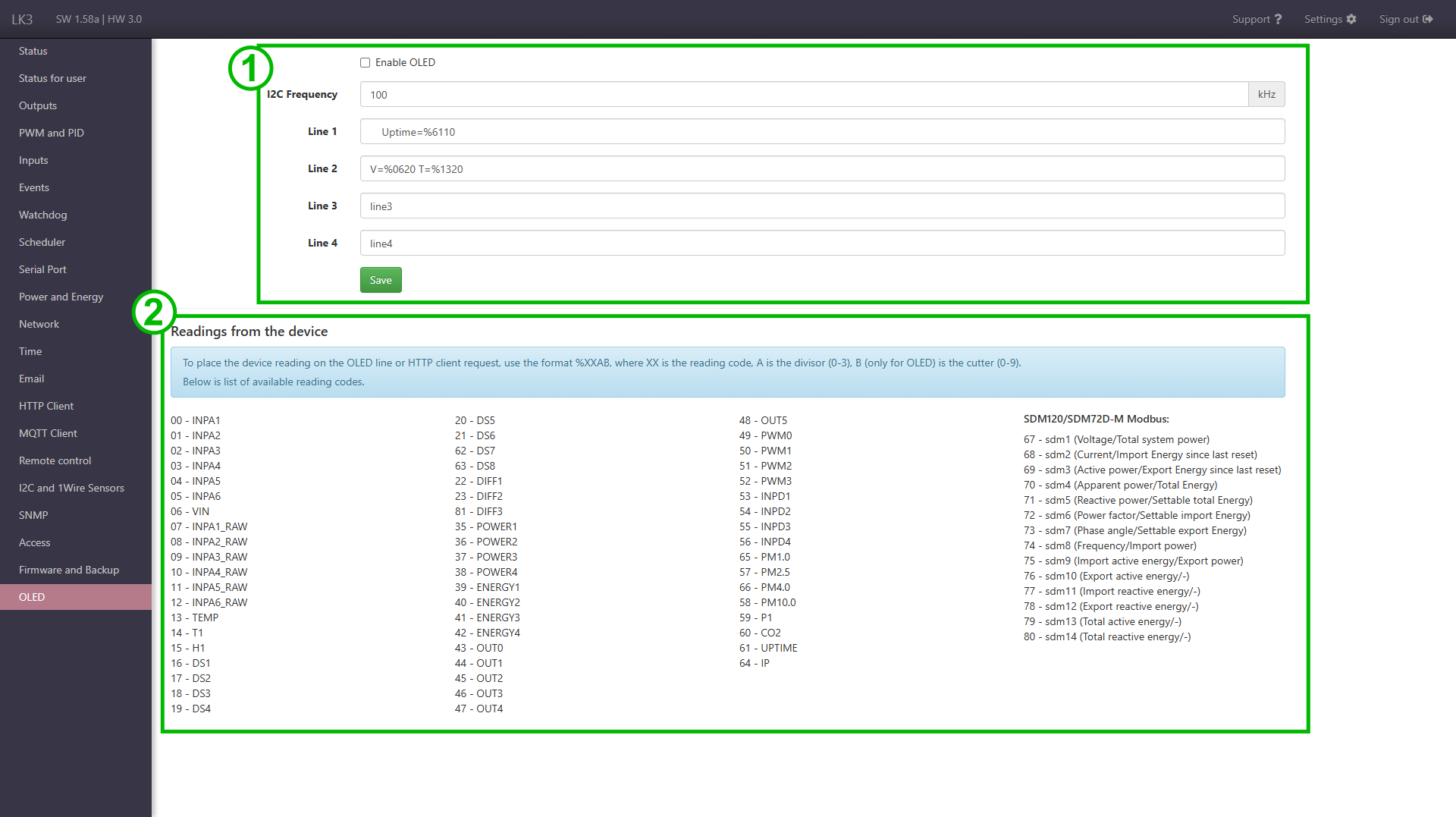
- Configuration form with fields for enabling OLED display support, setting the I2C bus frequency, and content of lines.
- List of readings from the LC3 that can be shown on display.
OLED display configuration
The display presents data in the format of 4 lines up to 16 characters long. The characters a-z, A-Z, 0-9, =, % and space are allowed (% only for inserting readings/variables from LK).
You can also insert values from sensors, just like in the HTTP client, using a special format. More information on this here.
Notes on the operation of the OLED function
Problem with too long lines
Be careful not to enter more than 16 characters in 4th line, because the display will only display characters after the 16th position from mentioned line.
For example, 12345678901234567 in line 4 will only display 7 on line 1.
Problem with blank lines
Insert at least one space in empty lines. Otherwise, the displayed content may be wrong.
For example, a clean line 2 will cause that the display will show lines 1, 3, 4, 1.
Display initialization
The display initialization is carried out at the LC startup and when it is turned on in the OLED tab. Therefore, the display must be connected before the LK start or if later connected, you must enable its operation (if it was already on, you must turn it off and on again).