Events
Events is a simple mechanism for using Lan Controller as an automaton that performs programmed actions in the event of certain conditions. For example, turn on the OUT1 when the temperature exceeds a certain value or send an e-mail when the logic state changes, etc. It is possible to combine two conditions using a logical operator.
Elements of page
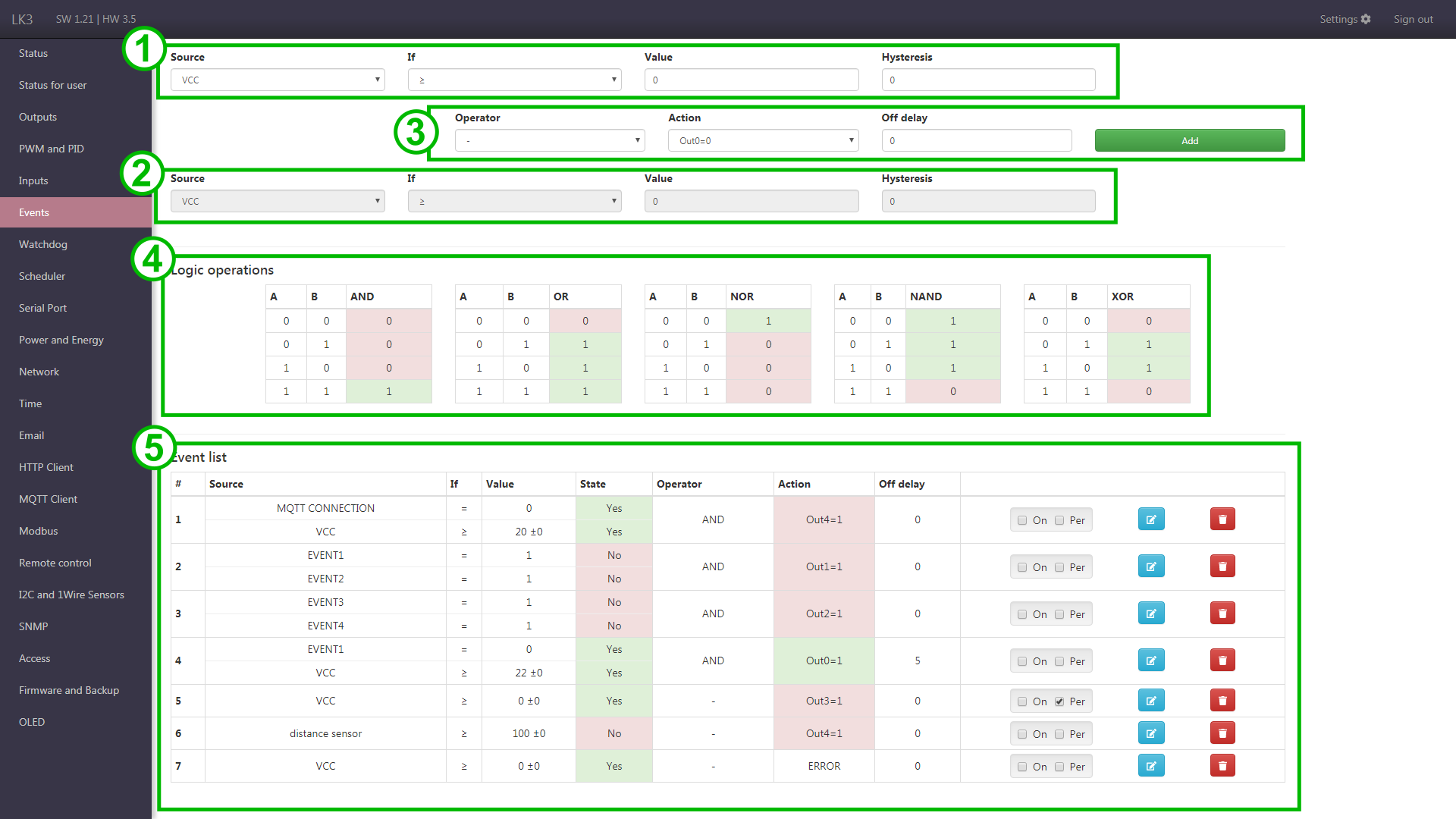
Elements of page
-
The first condition (basic).
The condition consists of 3 elements:
- source - defined by the first two fields, where you can choose between analog inputs and digital inputs. Among the digital input options are also virtual EVENT states described in the Scheduler configuration.
- if - the operator
>=,<,= - reference value and hysteresis
-
The second condition (optional, grayed out unless the logical operator is selected (point 3)).
-
The choice of the operator for the conditions, the action, the delay and the addition button.
Operator is used to implement the dependence of two conditions. When selecting a single condition, select the
-character.Action performed after the conditions have been met, eg switching the relay.
Off delay delays the deactivation of the action when the condition is no longer met.
-
Table of logical states.
An auxiliary operator action table, showing the operator's possible results depending on the conditions.
-
List of events.
It presents information about set events, current state of conditions (No/Yes) and actions (in both cases a colorful background). The last column contains checkboxes for enabling event
Onand making it permanentPer. It also contains buttons for deleting and editing event.For permanent event the action is executed as long as the condition is met. For normal event the action is executed only on change of condition result. It should be remembered that in the case of permanent event and an output, control over it is lost so that manual changes will not be permanent, because after a while the state will be forced by the event.